Slop Sheets · free, in your browser
Convert XLSX to CSV
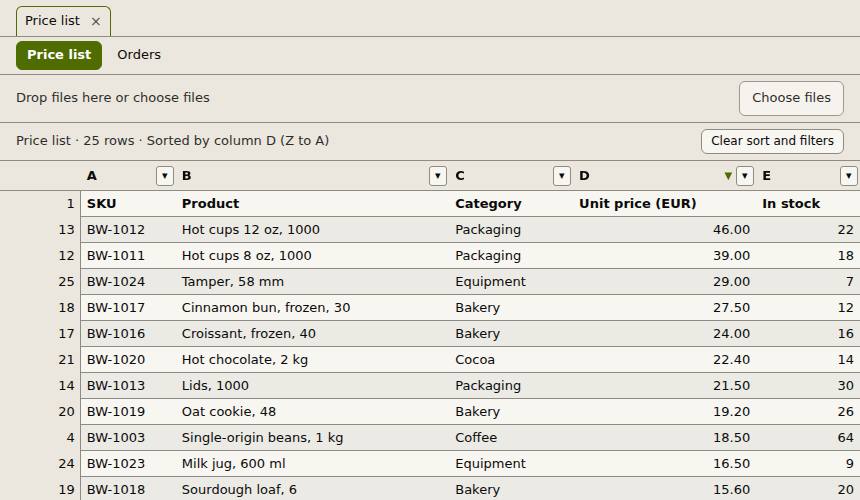
Many imports want CSV, not Excel. Open the workbook, pick the sheet, and export it as a CSV file, optionally only the rows you filtered.
How to do it
- Drop the .xlsx file on the page.
- Pick the sheet you want with the sheet tabs.
- Filter or sort the rows if you only need some of them.
- Choose Export, then All rows: CSV, or Visible rows: CSV for the filtered rows.
Your files stay on this device: Slop Sheets runs in your browser, with no upload, no account and no watermark.
Questions
What ends up in the CSV?
The values of the current sheet, one line per row. Formulas are written as the results saved in the workbook.
Can I convert every sheet at once?
CSV holds one sheet, so export each sheet in turn. All rows: XLSX keeps every sheet in one workbook.
Can I get tab-separated values?
Yes. Choose TSV in the Export menu instead of CSV.
Is the workbook uploaded?
No. It is read and exported in your browser.
More with Slop Sheets
Related apps
 Slop Tables
In development
Excel and Google Sheets, rebuilt for the browser. SlopLabel
Beta
Design and print barcode labels. Slop Contacts
In development
Address book: vCard and CSV in and out, duplicates merged.