Slop AI · Beta
AI chat
Chat with an AI that runs on your own computer.
Nothing to install: just open it in the browser on your phone, tablet or computer. It keeps working without internet after your first visit. Want an icon on your home screen? On iPhone or iPad, tap Share, then Add to Home Screen. On Android, open the browser menu and tap Add to Home screen. On a computer, click the install icon in the address bar.
Slop AI has these main features: Local models via WebGPU, works offline; System check: what can your PC run?. It opens Text, Any image.
Beta: still being tested, so some parts may change.
What you can do with Slop AI
- Run a local AI model in your browser
- Can my PC run a local LLM?
- A private, free ChatGPT alternative that runs on your computer
How Slop AI compares
Slop AI next to LM Studio, Ollama, GPT4All, Jan, WebLLM Chat: facts from each tool's own pages, checked 2026-10-24. We make Slop AI.
| Tool | Price for local use | Runs on | Install | Models | Offline |
|---|---|---|---|---|---|
| Slop AI ours | Free | A browser with WebGPU | None | 10 models, 0.5B to 7B (290 MB to 4.3 GB) | Yes, after the first visit and download |
| LM Studio | Free ($0 plan) | Apple Silicon Mac, Windows x64/ARM, Linux | Desktop app | GGUF (llama.cpp) and MLX, from Hugging Face | Yes, once models are downloaded |
| Ollama | Free ($0 plan) | macOS 14+, Windows 10 22H2+, Linux | App and command line | Its own library, incl. vision models | Not stated |
| GPT4All | Free, MIT licence | Windows, macOS 12.6+, Ubuntu | Desktop app | Thousands of open models | Not stated |
| Jan | Free, open source (Apache 2.0) | macOS 13.6+, Windows 10+, Linux | Desktop app | Hugging Face models (Llama, Gemma, Qwen…) | Yes, says it runs 100% offline |
| WebLLM Chat | Free, open source (Apache 2.0) | A browser with WebGPU | None | WebLLM built-in models, custom MLC models | Yes, after the first download |
| Feature | Slop AI ours | LM Studio | Ollama | GPT4All | Jan | WebLLM Chat |
|---|---|---|---|---|---|---|
| Free for local models | Yes | Yes | Yes | Yes | Yes | Yes |
| No install | Yes | No | No | No | No | Yes |
| Chat window | Yes | Yes | Not stated | Yes | Yes | Yes |
| Works offline | Yes | Yes | Not stated | Not stated | Yes | Yes |
| Runs without a GPU | Partly | Not stated | Partly | Yes | Not stated | Not stated |
| Windows | Yes | Yes | Yes | Yes | Yes | Not stated |
| Mac | Yes | Apple Silicon | Yes | Yes | Yes | Not stated |
| Linux | Partly | Yes | Yes | x86-64 | Yes | Not stated |
| Large models (13B and up) | No | Not stated | Not stated | Not stated | Yes | Not stated |
| Your own model files | MLC format | Yes | Not stated | Not stated | Not stated | MLC format |
| Send images (vision) | No | Not stated | Yes | Not stated | Not stated | Yes |
| Chat with your documents | Partly | Yes | Not stated | Yes | Not stated | Not stated |
| Local API for other apps | No | Yes | Yes | Not stated | Yes | No |
| MCP tools | No | Yes | Not stated | Not stated | Yes | Not stated |
| Hardware check before download | Yes | Not stated | Not stated | Not stated | Not stated | Not stated |
The full comparison, with sources: The best free apps to run AI chat on your own computer
Feature matrix
| Feature | Status | File types |
|---|---|---|
| Local models via WebGPU, works offline | Beta | Text, Any image |
| System check: what can your PC run? | Beta | Text, Any image |
| Drives every Slopographic app | Beta | Text, Any image |
| Builds mini-apps for you | Beta | Text, Any image |
File types
Slop AI opens Text, Any image.
Related apps
- Slop Compare
Beta
Compare two texts, files, PDFs or pictures and see every change. Nothing uploaded.  Slop PDF
Live
Organise, edit and sign PDFs. Nothing uploaded. SlopLabel
Beta
Design and print barcode labels. Slop OCR
Beta
Read text from images and scanned PDFs on your device. Nothing uploaded.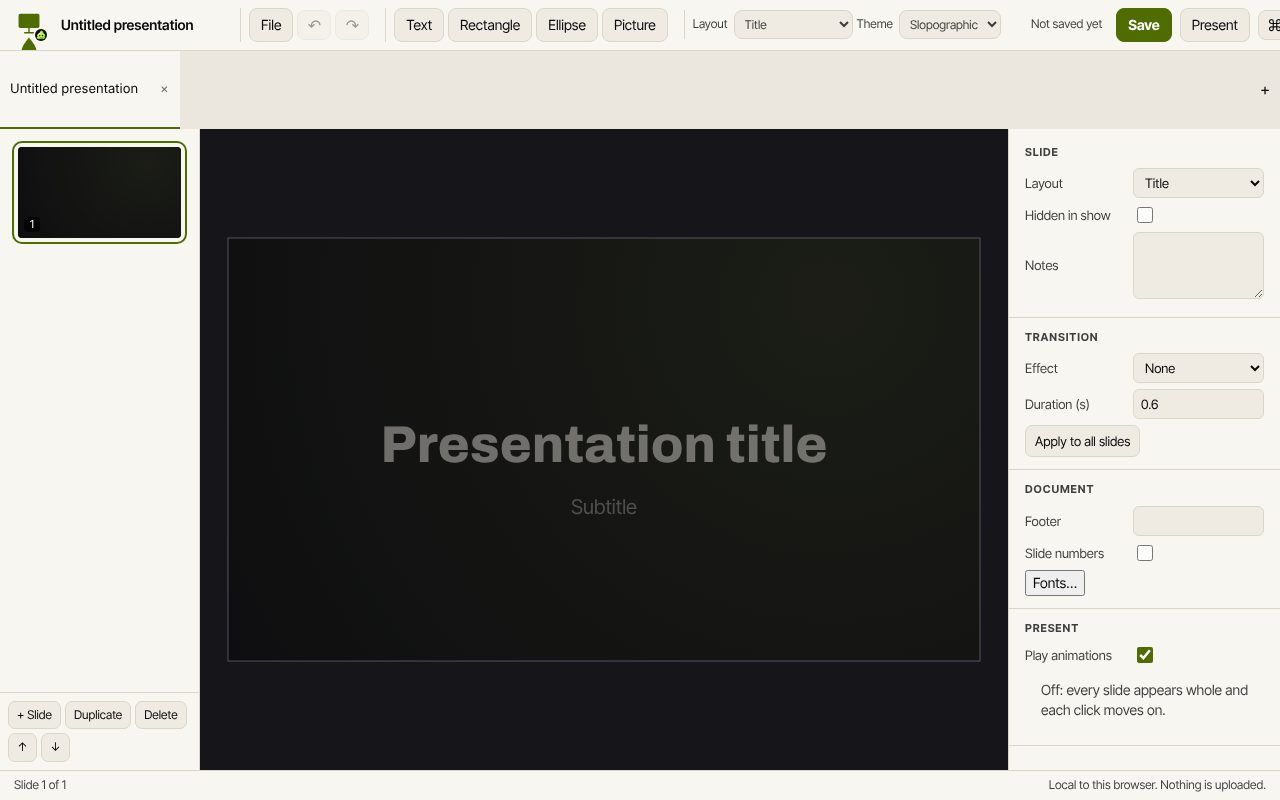 Slop Slides
In development
Keynote and PowerPoint, rebuilt for the browser. Slop Press
Beta
InDesign, rebuilt for the browser.