Slop PDF · Live
PDF tools
Organise, edit and sign PDFs. Nothing uploaded.
Download offline (.html): one file that opens from disk and works without a connection.
Nothing to install: just open it in the browser on your phone, tablet or computer. It keeps working without internet after your first visit. Want an icon on your home screen? On iPhone or iPad, tap Share, then Add to Home Screen. On Android, open the browser menu and tap Add to Home screen. On a computer, click the install icon in the address bar.
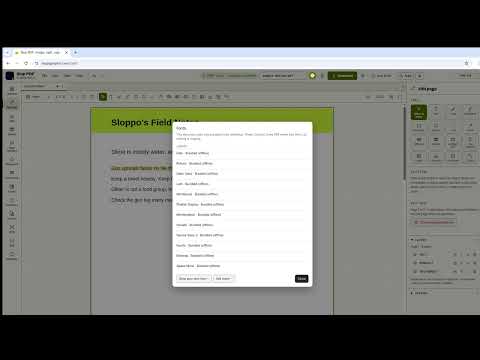
Slop PDF has these main features: Reorder, merge & split; Text, shapes, images & signatures. It opens PDF, Any image.
What you can do with Slop PDF
- Sign a PDF in your browser
- Fill in a PDF form
- Edit the text in a PDF
- Compress a PDF
- Redact a PDF
- Rotate the pages of a PDF
- A free Adobe Acrobat alternative in your browser
How Slop PDF compares
Slop PDF next to PDF24 Tools, iLovePDF, Sejda, Smallpdf, Adobe Acrobat online: facts from each tool's own pages, checked 2026-10-24. We make Slop PDF.
| Tool | Price | Free limits | Account | Files processed on | Offline option |
|---|---|---|---|---|---|
| Slop PDF ours | Free | None set by us | Not needed | Your device | Works offline after the first visit |
| PDF24 Tools | Free | "No artificial limits" | Not stated | PDF24 servers (online); your PC with PDF24 Creator | PDF24 Creator for Windows |
| iLovePDF | Free; Premium €9 a month or €60 a year | Limited files and size per task (e.g. Merge 25 files, Split 1) | Not stated | iLovePDF servers | Desktop app (paid for full tools) |
| Sejda | Free; Web Week Pass €5.50, Web Monthly €8.50, Desktop+Web €71 a year | 3 tasks an hour, 50 MB and 50 pages per file | Not needed ("No signup required") | Sejda servers (Web); your computer (Desktop) | Sejda Desktop |
| Smallpdf | Free; Pro (price shown at checkout); 7-day free trial | Daily download limit on most tools | Not stated | Smallpdf servers (Ireland) | Not stated |
| Adobe Acrobat online | Free tools; Acrobat Standard and Pro are paid (7-day Pro trial) | Not stated | Free Adobe account to download | Adobe (files are uploaded) | Not stated |
| Feature | Slop PDF ours | PDF24 Tools | iLovePDF | Sejda | Smallpdf | Adobe Acrobat online |
|---|---|---|---|---|---|---|
| Merge and split | Yes | Yes | Yes | Yes | Yes | Yes |
| Compress | Yes | Yes | Yes | Yes | Yes | Yes |
| Edit existing text | Yes | No | Yes | Yes | Partly | Partly |
| Add text, shapes and images | Yes | Yes | Yes | Yes | Yes | Partly |
| Sign | Yes | Yes | Yes | Yes | Yes | Yes |
| Fill forms | Yes | Yes | Yes | Yes | Yes | Yes |
| Redact | Yes | Yes | Yes | Not stated | Yes | Not stated |
| OCR (recognise text in scans) | Yes | Yes | Yes | Yes | Yes | Yes |
| PDF to Word | Yes | Yes | Yes | Yes | Yes | Yes |
| Page numbers | Yes | Yes | Yes | Yes | Yes | Yes |
| Watermark | Yes | Yes | Yes | Yes | Yes | Not stated |
| Add a password | Yes | Yes | Yes | Yes | Yes | Yes |
| Remove a password you know | Yes | Yes | Yes | Yes | Yes | Not stated |
| No account needed | Yes | Not stated | Not stated | Yes | Not stated | No |
| Free plan without task limits | Yes | Yes | Partly | No | No | Not stated |
| Files stay on your device | Yes | Partly | Partly | Partly | No | No |
The full comparison, with sources: The best free PDF editors, compared
Feature matrix
| Feature | Status | File types |
|---|---|---|
| Reorder, merge & split | Live | PDF, Any image |
| Text, shapes, images & signatures | Live | PDF, Any image |
| Page numbers, watermarks, forms | Live | PDF, Any image |
| Compress & convert | Live | PDF, Any image |
File types
Slop PDF opens PDF, Any image.
Related apps
 Slop OCR
Beta
Read text from images and scanned PDFs on your device. Nothing uploaded. Slop Press
Beta
InDesign, rebuilt for the browser.- Slop Compare
Beta
Compare two texts, files, PDFs or pictures and see every change. Nothing uploaded. 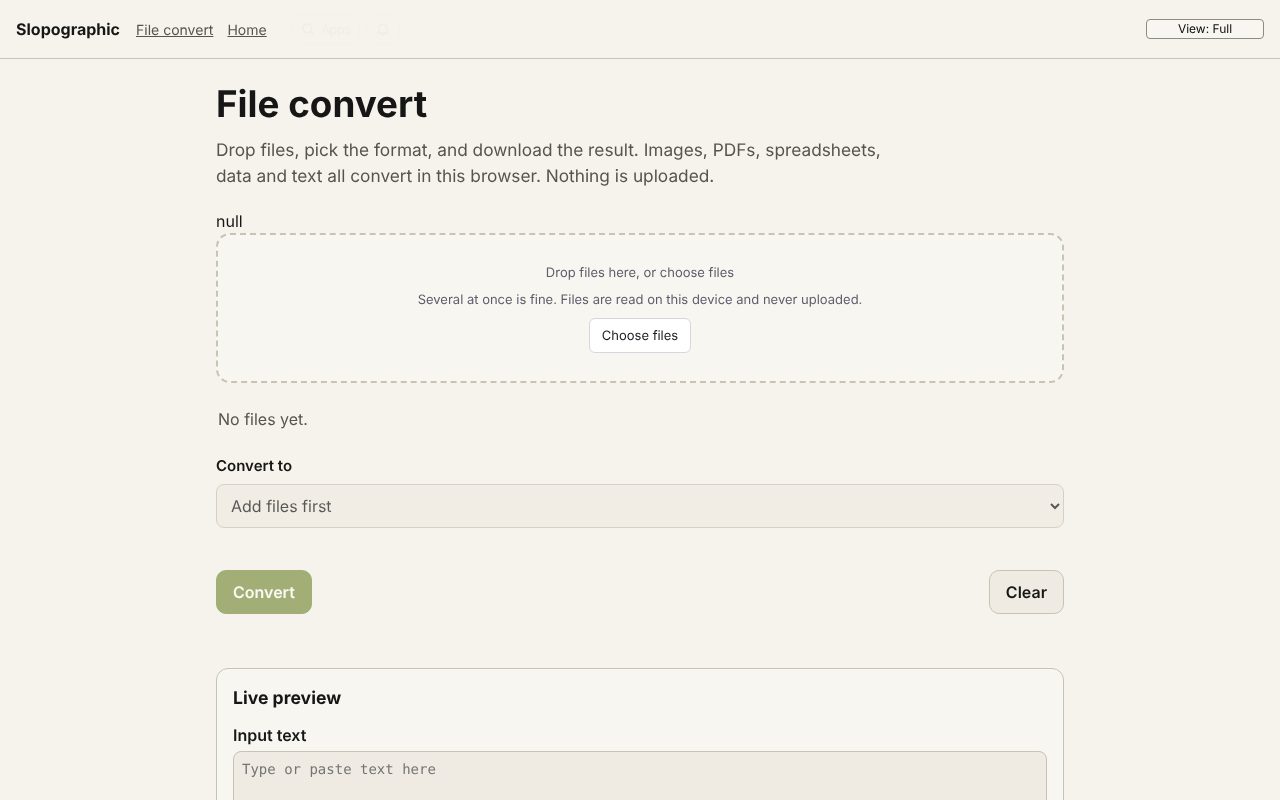 File convert
In development
Images, PDFs, data and text, converted on your device. Slop AI Tools
Beta
OCR, speech to text, denoise, auto tags and portrait blur. On your device. Slop Watermark
Beta
Watermark photos, videos and PDFs at once with your logo or text. Nothing uploaded.