Slop PDF · free, in your browser
A free Adobe Acrobat alternative in your browser
If you need to sign, fill, edit or tidy up a PDF now and then, Slop PDF does it in a browser tab: free, with no installation and no account, and your files stay on your device.

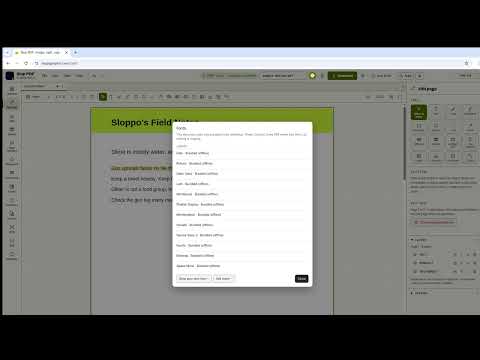
How to do it
- Open Slop PDF and drop your PDF on the page.
- Pick a tool in the rail: Organize, Edit page, Sign, Redact, Page numbers, Watermark, Forms, Compress, Convert or OCR.
- Make your changes. Every step can be undone.
- Choose Download to save the new PDF.
What Slop PDF does: reorder, rotate, delete, merge and split pages; add text, shapes, pictures, comments and signatures; edit existing text; fill forms; true redaction; page numbers and watermarks; lossless or strong compression; OCR for scans; and export to images, Word, Excel or PowerPoint. Password-protected PDFs open when you know the password, and File ▸ Protect with password… adds one (AES-256) to the PDF you download.
Your files stay on this device: Slop PDF runs in your browser, with no upload, no account and no watermark.
Questions
Is Slop PDF connected to Adobe?
No. Slopographic is not affiliated with Adobe. Adobe and Acrobat are trademarks of their owner, used here only to describe what people search for.
Do I need to install anything?
No. Slop PDF runs in a current browser on Windows, macOS, Linux, ChromeOS, Android or iOS. You can also download it as a single offline file from the File menu.
Are my PDFs uploaded?
No. Files are opened and saved in your browser and never sent to a server. There is no account to create.
Can it open password-protected PDFs?
Yes, when you know the password: the file is unlocked on your device so it can be edited and saved. Slop PDF tells you the file had a password, and you choose whether the saved copy has one.
Can it add a password to a PDF?
Yes. File ▸ Protect with password… downloads the PDF with a password (AES-256), with printing, copying and editing allowed or not. The password is used on your device and is not kept.
More with Slop PDF
- Sign a PDF in your browser
- Fill in a PDF form
- Edit the text in a PDF
- Compress a PDF
- Redact a PDF
- Rotate the pages of a PDF
Related apps
 Slop OCR
Beta
Read text from images and scanned PDFs on your device. Nothing uploaded. Slop Press
Beta
InDesign, rebuilt for the browser.- Slop Compare
Beta
Compare two texts, files, PDFs or pictures and see every change. Nothing uploaded.