Slop AI guide
Getting started with Slop AI
Slop AI runs a language model on your own computer, in the browser, with WebGPU. Your chats never leave your device.
Check what your computer can run
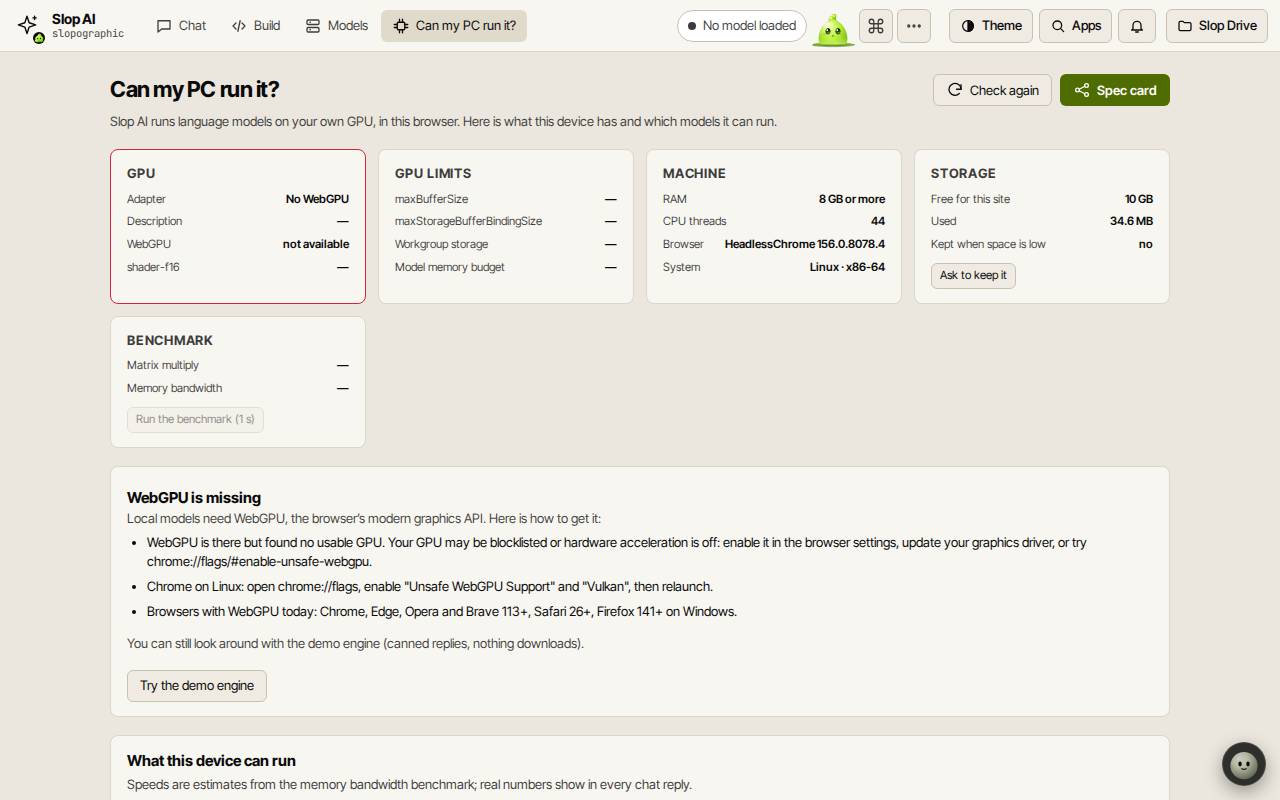
Open Can my PC run it?. It shows your GPU and its limits, your memory and storage, and a short benchmark, then which models will run well, run slowly or not fit. Spec card saves a picture of the results.
If WebGPU is missing, the page says how to turn it on in your browser. Try the demo engine lets you look around with canned replies; nothing downloads.
Download a model
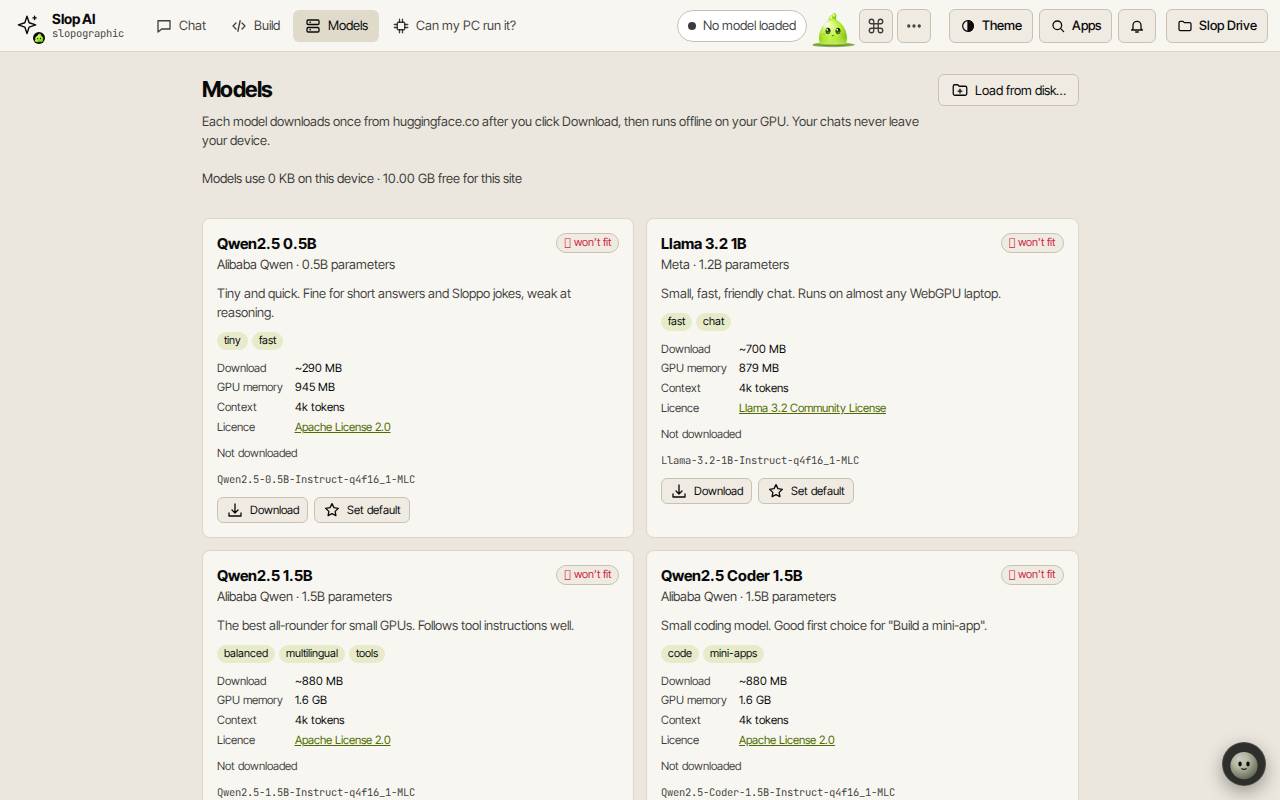
The Models tab lists each model with its download size, GPU memory, context and licence. The smallest, Qwen2.5 0.5B, is about 290 MB; the largest are a few GB. Choose Download and confirm. It downloads once from huggingface.co and then runs offline.
Set default loads that model by itself next time. Load from disk… uses a model folder you already have.
Chat and build
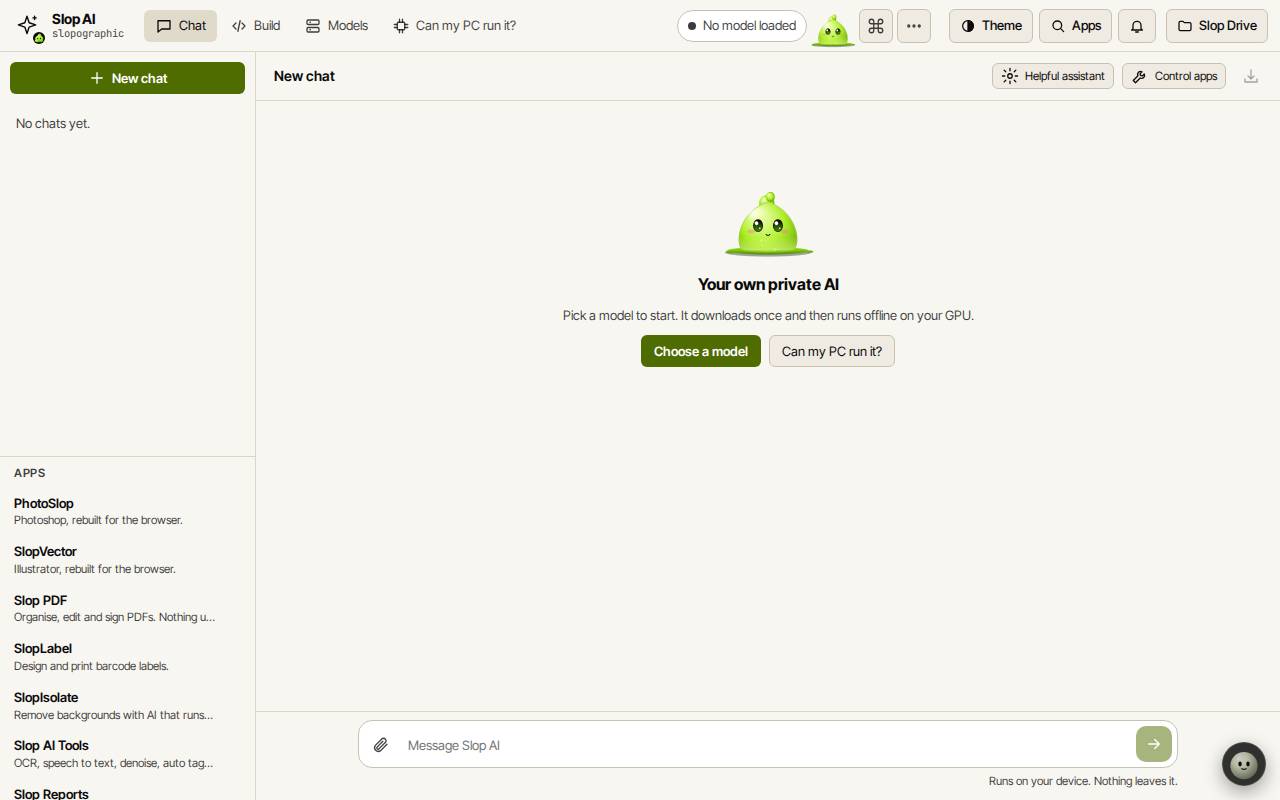
On the Chat tab, type in Message Slop AI and press Enter. Pick a persona such as Helpful assistant, attach text files, and export a chat to Slop Drive. Control apps lets the model open apps and save files for you.
The Build tab asks the model to write a small app as one HTML file and runs it safely in a preview.
Keyboard shortcuts
| Keys | What it does |
|---|---|
Ctrl+K | Search commands (Cmd+K on a Mac) |