Slop Upscale guide
Getting started with Slop Upscale
Slop Upscale makes pictures and short videos bigger with AI that runs in your browser. Nothing is uploaded.
Open a picture
- Drop a picture or a video on the page, or click Open…. JPEG, PNG, WebP and AVIF pictures work, and MP4, WebM or MOV videos up to 15 seconds.
- To try it, click Try it with a sample photo.
- The first time, a dialog explains which models run on this device. Click Continue.
Choose the size and the model
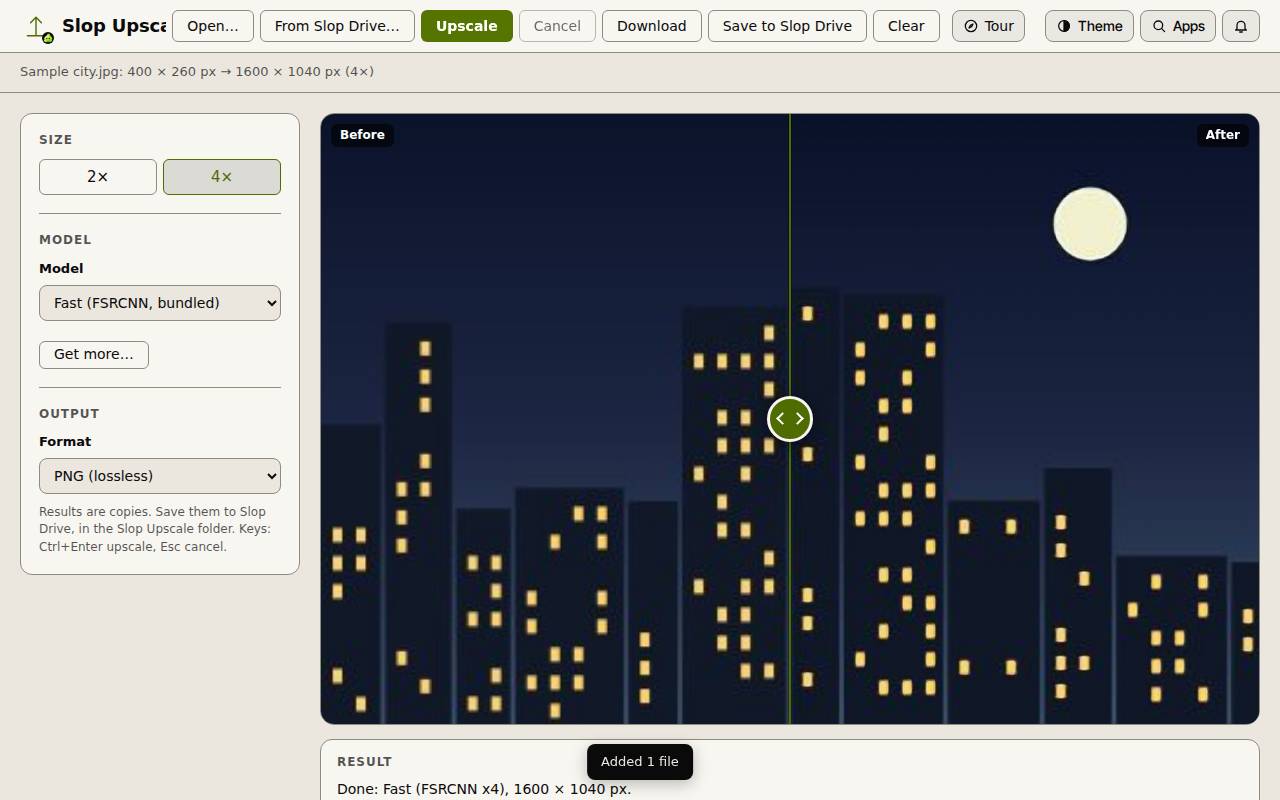
Under Size, choose 2× or 4×.
Under Model, Fast (FSRCNN, bundled) works right away. Quality (Real-ESRGAN) is sharper but is an optional download: click Get more… to get it. Lanczos only (no AI) just resamples.
Under Output, pick PNG (lossless), JPEG or WebP. JPEG and WebP have a quality slider.
Upscale and compare
- Click Upscale (Ctrl+Enter). Esc stops it.
- Drag the handle in the middle of the picture to compare Before and After.
- Click Download to save the result, or Save to Slop Drive to keep it in the Slop Upscale folder.
Tip: Videos keep the pictures only, not the sound. Each frame is upscaled one by one, so a clip takes a while.