SlopCut · free, in your browser
Make a split screen video
Pick a layout, such as two side by side, three in a row, a 2×2 or 3×3 grid or picture-in-picture, then drop a clip into each cell. SlopCut gives each its own track and exports one video.
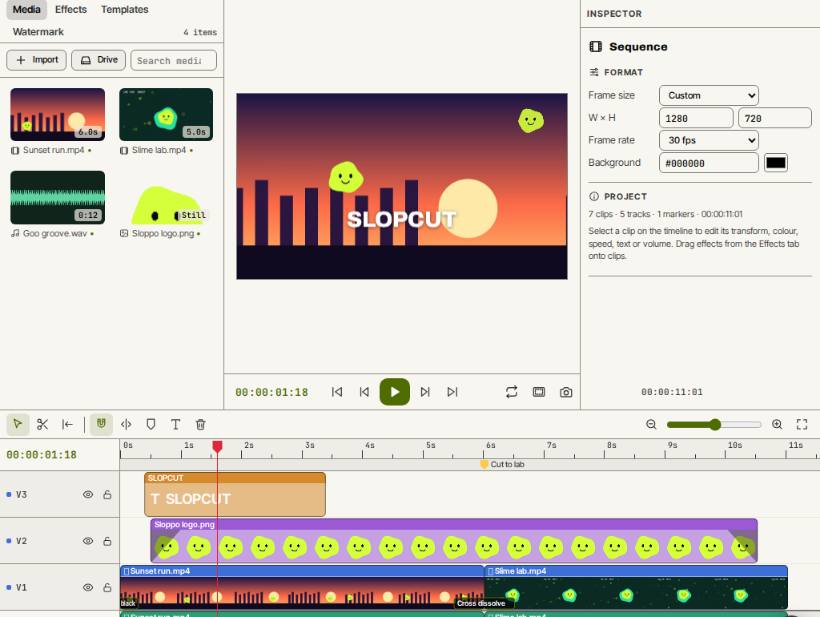
How to do it
- Open SlopCut, drop your clips on the page and open the Templates tab (Shift+G).
- Pick a layout: 2×1 for two columns, 1×2 for two rows, 3×1, 2×2, 3×3, Picture-in-picture, or Custom… up to 4×4.
- Drag a clip from the media bin onto each cell in the monitor, or into each slot in the panel.
- Drag a filled slot onto another to swap them. Each slot is its own track, so you can trim them one by one.
- Press Export and choose the size, such as Landscape 1920×1080 or Phone 1080×1920.
Your files stay on this device: SlopCut runs in your browser, with no upload, no account and no watermark.
Questions
Are the clips cropped to fit the cells?
No. Each clip is fitted inside its cell with letterboxing, so nothing is cut off.
Can the layout change during the video?
Yes. On the Layout lane, choose another layout and press Switch at playhead. Each band keeps its layout until the next switch.
Whose sound plays?
Each clip keeps its linked sound on its own audio track. Mute or turn down the ones you do not want.
More with SlopCut
- Merge videos into one
- Trim or cut a video
- Make a GIF from a video
- Add text to a video
- A free CapCut alternative that never uploads your footage
Related apps
 Slop AI Tools
Beta
OCR, speech to text, denoise, auto tags and portrait blur. On your device. Reel Remix
In development
Clips and photos in, a random edit out, then fine-tune in SlopCut. Slop Resize
Beta
Resize pictures and videos to a size, a percentage or a file limit. Nothing uploaded.