Slop EML · free, in your browser
Combine emails into one PDF
For a case file, an audit or a handover: drop a batch of emails and get one tidy PDF, oldest first, with a contents page that links to every message.
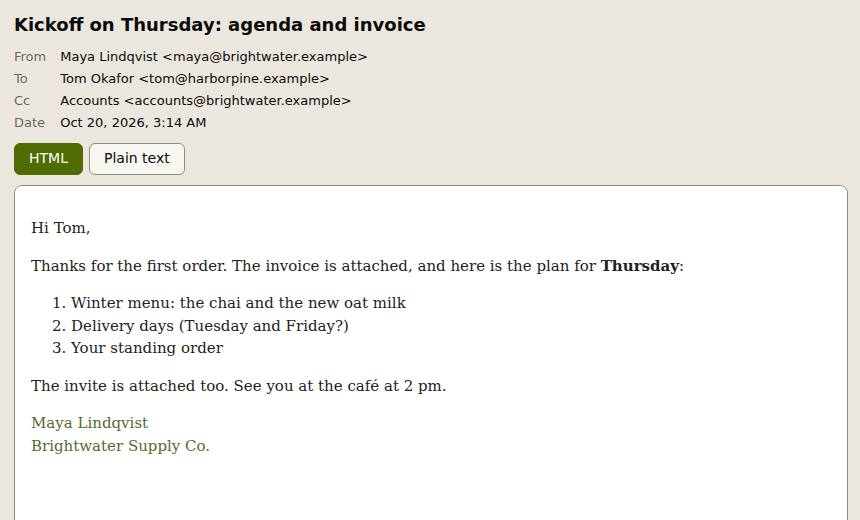
How to do it
- Drop all the .eml files on the page at once, or a mailbox (.mbox).
- Search and sort the list, then tick the messages you want, or none for all of them.
- Choose Combine into one PDF in the Actions panel.
- For more choices, use Export: one PDF per message in a ZIP, attachments as pages, or the list as CSV.
Your files stay on this device: Slop EML runs in your browser, with no upload, no account and no watermark.
Questions
In what order are the messages?
By date, oldest first. The contents page lists each message with its date, sender, subject and page.
Can the attachments go in too?
Yes. PDF attachments are added as pages after their message, and pictures as one page each. Other files are listed by name.
Can I edit or sign the result?
Choose Open in Slop PDF: the PDF opens there to sign, annotate, reorder or merge with other files.
Is anything uploaded?
No. The emails are read and the PDF is made in this page, on your device.
More with Slop EML
Related apps
 Slop PDF
Live
Organise, edit and sign PDFs. Nothing uploaded. SlopLabel
Beta
Design and print barcode labels. Slop Reports
Beta
Totals and lists across Contacts, Invoices, Expenses and CRM, with profit by month. Read-only.