Slop Contacts · free, in your browser
Convert a CSV contact list to VCF (vCard)
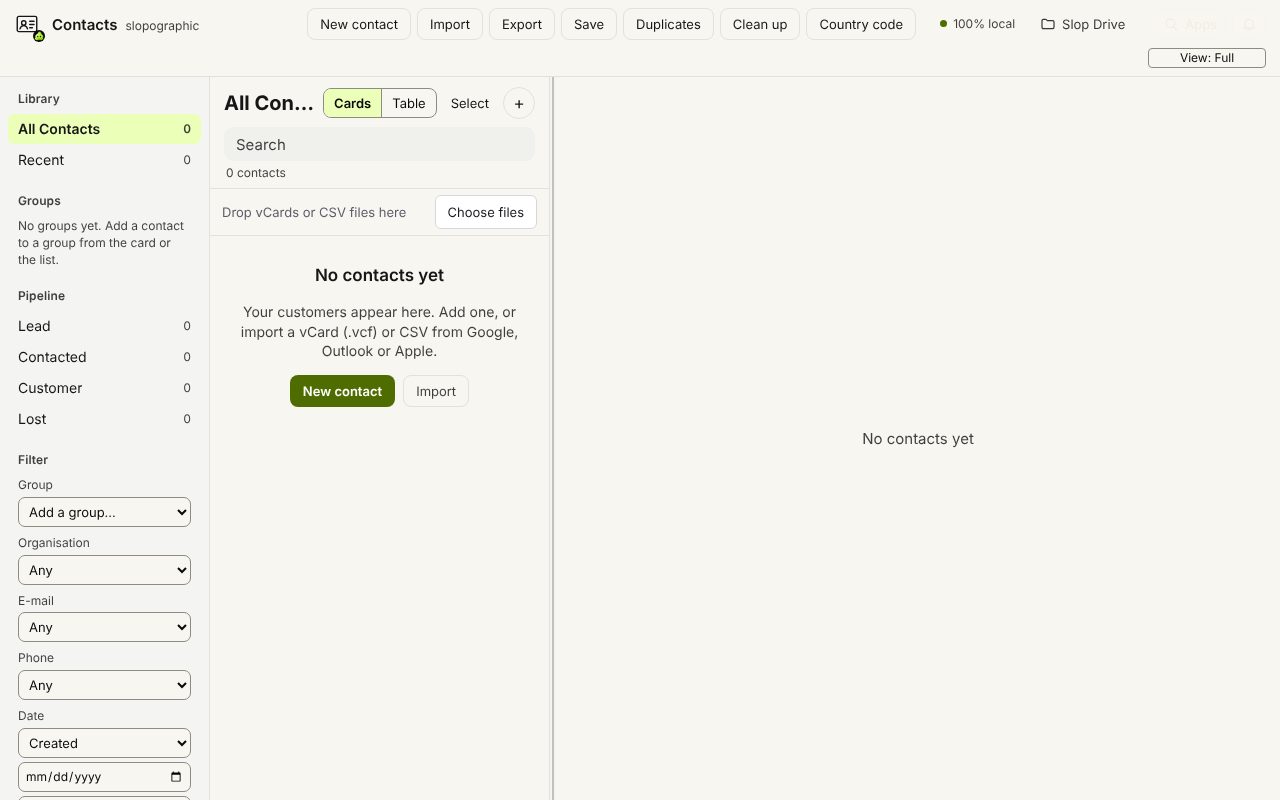
Have your contacts in a spreadsheet? Import the CSV, tell Slop Contacts which column is which, and export one .vcf file that phones and mail apps can import.
How to do it
- Save the sheet as CSV, then drop it on the contact list or choose Import.
- Check the column mapping: name, first and last name, company, job title, e-mail, phone, address, notes, groups, birthday, website, or do not import.
- Look over the preview and choose Import.
- Choose Export, then vCard 3.0 (.vcf), one file for iOS and Android, or vCard 4.0.
- Open or import the .vcf on your phone or in your mail app.
Several e-mail or phone columns each add a value, and address columns are joined into one line. Not sure of the layout? Download example CSV in the import dialog shows one that works.
Your files stay on this device: Slop Contacts runs in your browser, with no upload, no account and no watermark.
Questions
Will it work with a Google or Outlook CSV?
Yes. Their column names are guessed, and Google group labels such as "* myContacts ::: Friends" become groups.
Can I make one file per contact?
Yes. In Export, choose vCard 3.0, one file per contact (.zip), to get a ZIP with a .vcf for each person.
Has the result been tested in every phone?
The files follow the vCard standard, but we have not tried every phone and app. Import a few contacts first and check them before a large import.
More with Slop Contacts
Related apps
 SlopLabel
Beta
Design and print barcode labels. Slop Tables
In development
Excel and Google Sheets, rebuilt for the browser. Slop Inventory
In development
Products, stock and barcode scanning. Nothing uploaded.