Slop Code · free, in your browser
Format JSON
Turn a one-line JSON blob into readable, indented JSON. Slop Code parses it and prints it again with two spaces per level.
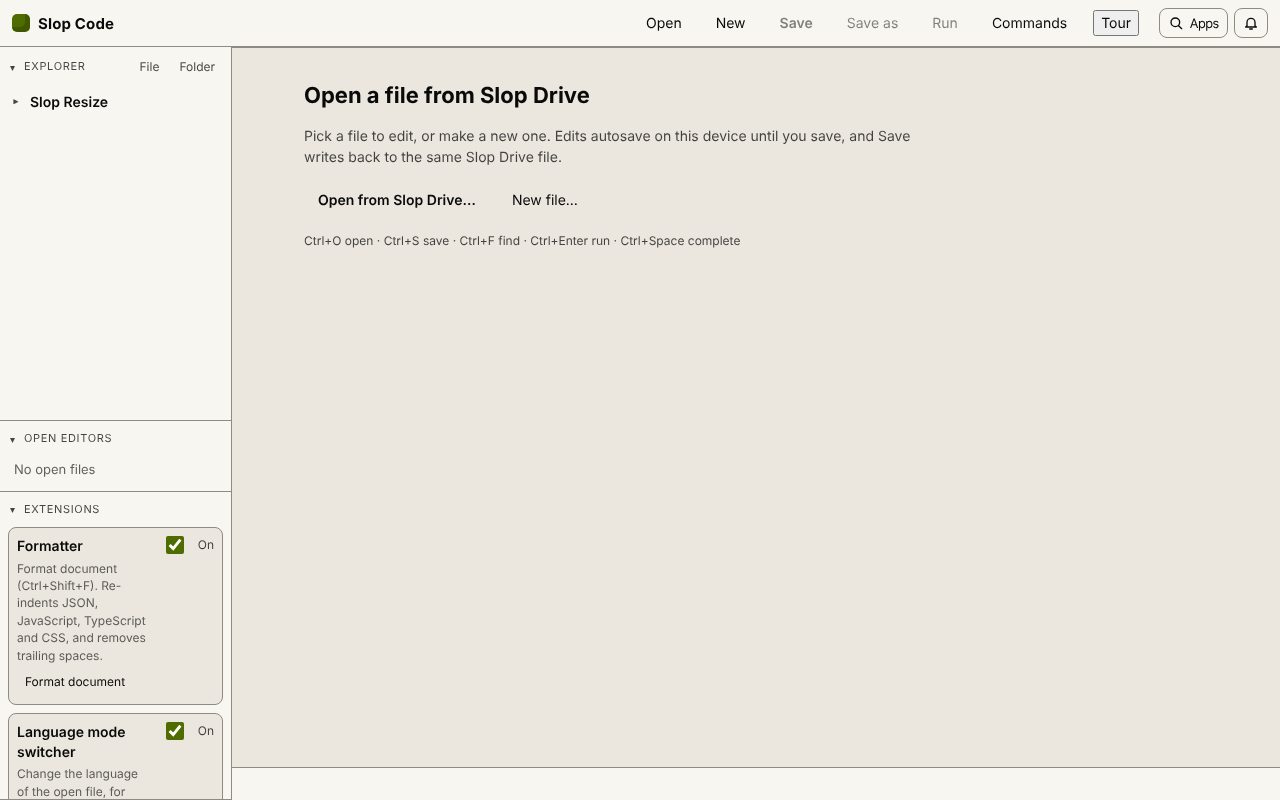
How to do it
- Open Slop Code and choose New, pick JSON and name the file.
- Paste the JSON into the editor.
- Choose Format document (Ctrl+Shift+F). If it says the formatter is off, switch it on under Extensions.
- Fold objects in the gutter, search with Ctrl+F, and choose Save to keep the file.
Your files stay on this device: Slop Code runs in your browser, with no upload, no account and no watermark.
Questions
What happens with invalid JSON?
The formatter has to parse the JSON first, so text that is not valid JSON is not changed. Fix the error and format again.
Is my JSON uploaded?
No. It is parsed in your browser and saved only to Slop Drive on this device.
Can it format JavaScript or CSS?
Yes. Format document re-indents JavaScript, TypeScript and CSS by their braces.
More with Slop Code
Related apps
 Slop Docs
In development
Word and Google Docs, rebuilt for the browser. File convert
In development
Images, PDFs, data and text, converted on your device. Slop Effects
Beta
Motion design in the browser. Nothing uploaded.