Slop Code guide
Getting started with Slop Code
Slop Code is a code editor for the files in your Slop Drive. It edits JavaScript, TypeScript, HTML, CSS, JSON, Markdown, Python and plain text, and runs HTML and JavaScript in a sandboxed preview. Nothing is uploaded.
Make or open a file
The Explorer shows your Slop Drive folders and files. The File and Folder buttons make new items in the selected folder. Right-click a row for Rename, Move to…, Copy path and Delete. Delete moves it to the Slop Drive Trash.
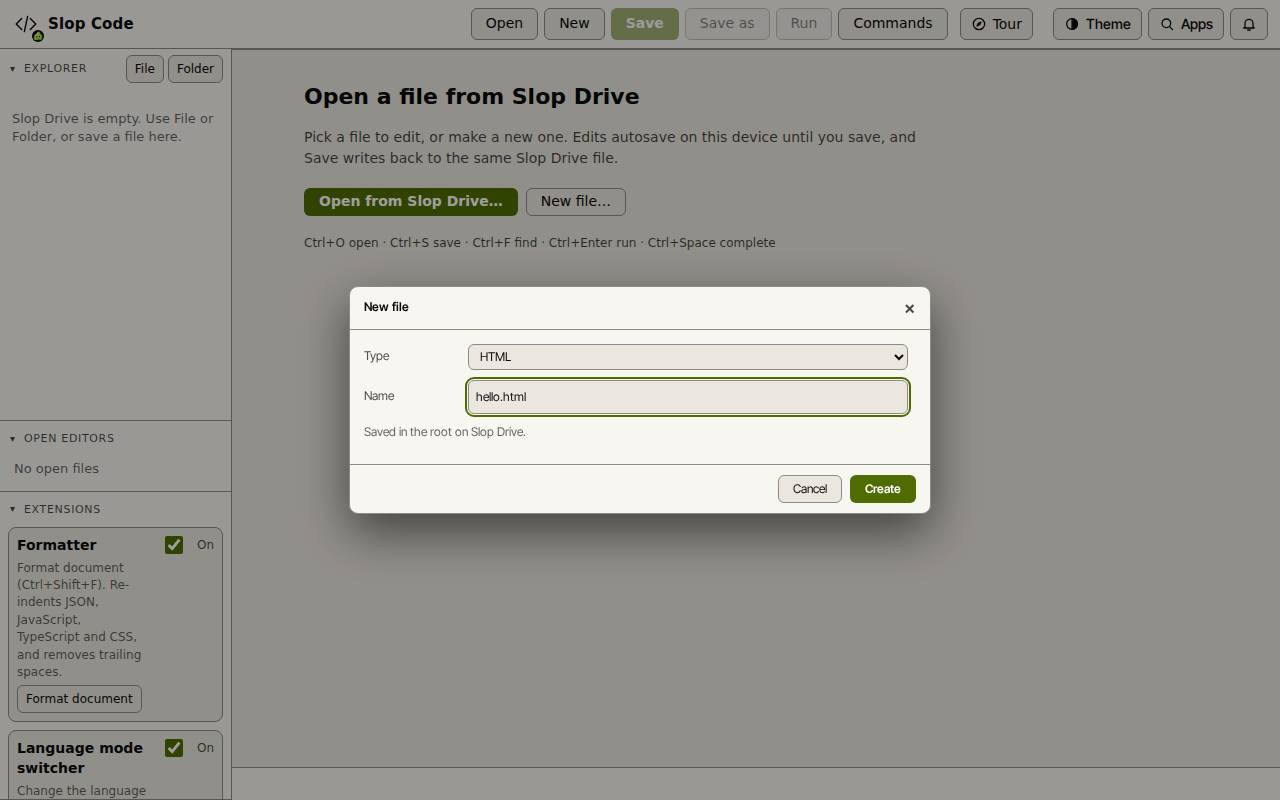
- Click New file… (or New at the top).
- Pick a Type, such as HTML. It sets the extension and the highlighting.
- Type a Name and click Create. The file is made in Slop Drive and opens in a tab.
- To edit a file you already have, click Open from Slop Drive…, or click it in the Explorer on the left.
Edit and save
The editor has line numbers, folding, bracket matching, search and replace, and several cursors (Ctrl+click adds one). Press Ctrl+Space for completion and snippets. Enter or Tab accepts.
Your edits are kept as a draft on this device until you save. A dot marks a tab with unsaved changes.
- Press Ctrl+S, or click Save, to write the file back to the same Slop Drive file.
- Click Save as to save a copy in a folder you pick.
Run a page
The preview has no network access. CSS, scripts and pictures that the page links by a relative path are taken from the same Slop Drive folder.
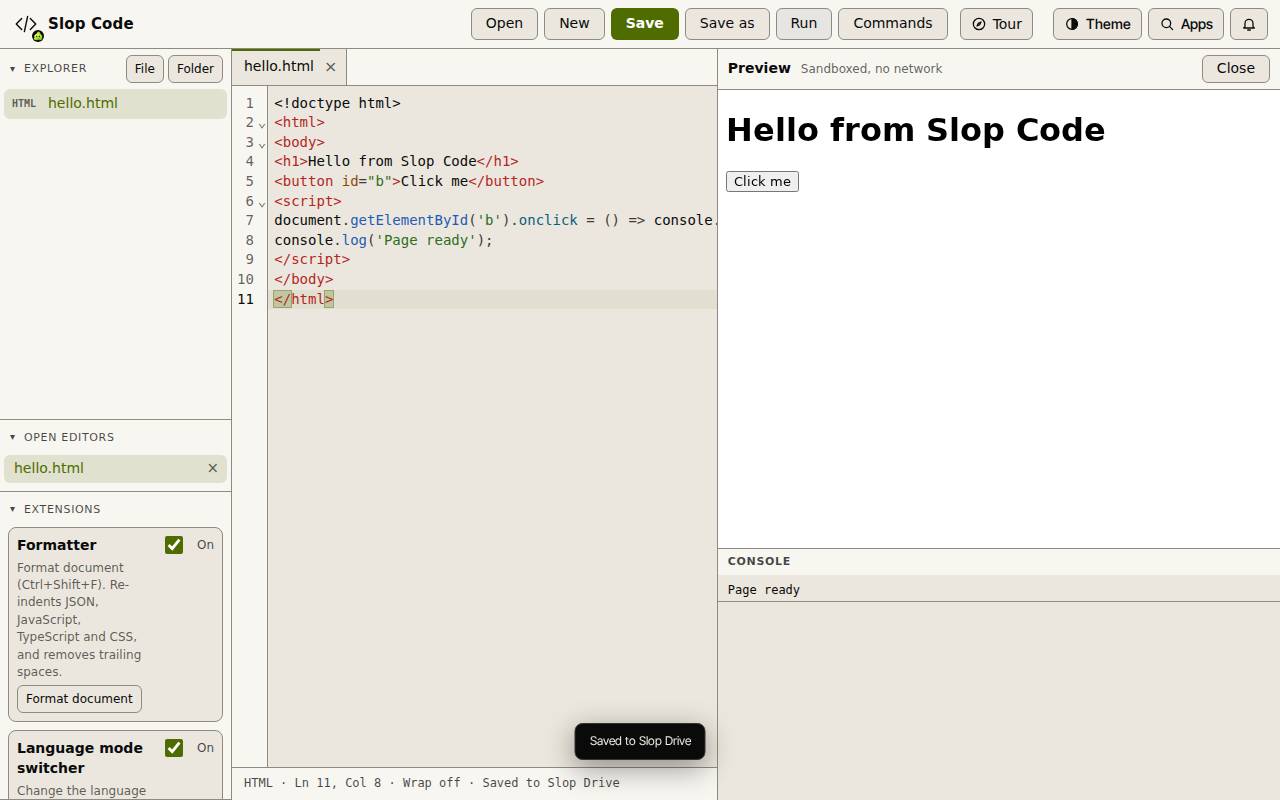
- Open an HTML or JavaScript file.
- Click Run, or press Ctrl+Enter.
- The Preview opens on the right. Console messages and errors show under it. Click Close to hide it.
Extensions and other files
The Extensions panel has built-in helpers you can turn on and off: Formatter (Format document), Language mode switcher, and Snippets. Nothing is downloaded.
A Markdown file has a Preview button that shows it rendered. Pictures, audio, video and PDFs open in a view tab, which is read only.
Tip: Ctrl+B shows or hides the sidebar. Click Commands to search every command.
Keyboard shortcuts
| Keys | What it does |
|---|---|
Ctrl+O | Open from Slop Drive |
Ctrl+Alt+N | New file |
Ctrl+Alt+Shift+N | New folder |
Ctrl+S | Save |
Ctrl+Shift+S | Save as |
Ctrl+Alt+W | Close tab |
Ctrl+F / Ctrl+H | Find / Replace |
Ctrl+Space | Complete |
Ctrl+Shift+F | Format document |
Ctrl+Alt+Z | Toggle line wrap |
Ctrl+B | Show or hide the Explorer |
Ctrl+Enter | Run preview |