Slop Slides · free, in your browser
Make a presentation in your browser
Build a deck from a theme or a template, add text, shapes and pictures, and present it full screen. Slop Slides runs in a browser tab and keeps your slides on your device.
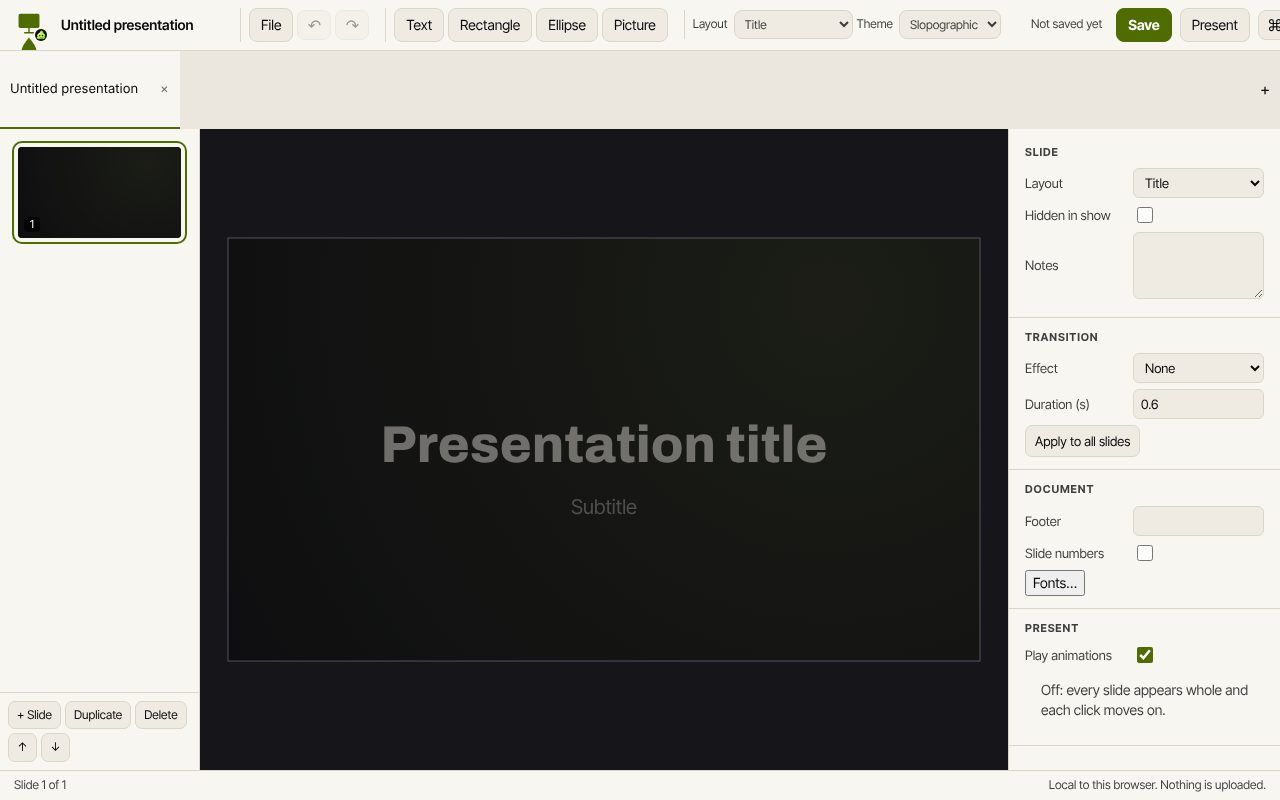
How to do it
- Open Slop Slides and choose File, New from template, or start from the blank deck.
- Add slides with a layout, then type into the text boxes and add shapes and pictures.
- Pick a slide transition and object animations in the side panel.
- Choose Present (F5) to show it full screen.
- Save to Slop Drive, or choose Export PowerPoint (.pptx) to share it.
Your files stay on this device: Slop Slides runs in your browser, with no upload, no account and no watermark.
Questions
Can I present without the internet?
Once the page has loaded, the deck is drawn and presented in your browser, so the slideshow does not need a connection.
Can I open the deck in PowerPoint?
Yes. Export PowerPoint (.pptx) writes the slides for PowerPoint, Keynote and LibreOffice. Transitions and animations stay in the .sslide file, and tables, charts and media are left out of the export for now.
Can I export a slide as a picture?
Yes. Export this slide as PNG saves the current slide as an image.
Are my slides uploaded?
No. Decks are saved in Slop Drive in this browser, and nothing is sent to a server.


