Slop Reminders · free, in your browser
Set a reminder in your browser
Type what to remember, pick a date and a time, and Slop Reminders tells you when it is due. Reminders from Slop Calendar and Slop To-do show on the same timeline.
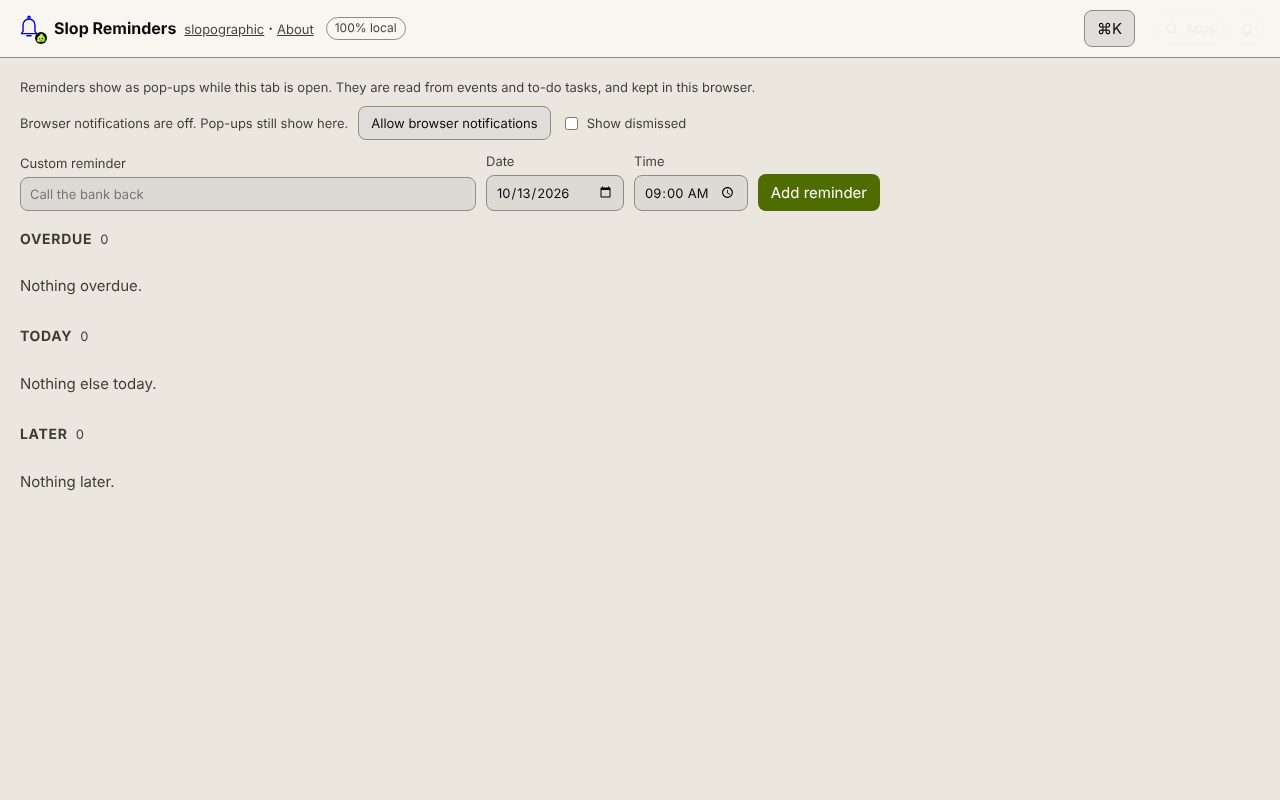
How to do it
- Open Slop Reminders and press Allow browser notifications if you want them outside the page.
- Type what to remember in Custom reminder, such as Call the bank back.
- Pick the Date and Time and press Add reminder.
- When it is due, a pop-up appears. Snooze it for 5 minutes, 1 hour or until tomorrow, or press Dismiss.
- See everything under Overdue, Today and Later. Show dismissed brings back the ones you closed.
Your files stay on this device: Slop Reminders runs in your browser, with no upload, no account and no watermark.
Questions
Will it remind me if the browser is closed?
No. Reminders are checked while Slop Reminders, Calendar or To-do is open in a tab, so keep one open. With notifications allowed, they reach you while that tab is in the background.
Where do the reminders come from?
From three places: custom reminders you add here, reminders on Slop Calendar events, and reminders on Slop To-do tasks.
Is anything sent to a server?
No. Reminders are stored in this browser and checked by the page itself; nothing uses the network.
Related apps
 Slop PDF
Live
Organise, edit and sign PDFs. Nothing uploaded. SlopLabel
Beta
Design and print barcode labels. Slop Reports
Beta
Totals and lists across Contacts, Invoices, Expenses and CRM, with profit by month. Read-only.