Slop Reminders guide
Getting started with Slop Reminders
Slop Reminders puts every reminder in one timeline: the ones set on Slop Calendar events and Slop To-do tasks, and your own.
See what is coming
The list is grouped into Overdue, Today and Later. Each row shows when it fires, what it is for, and whether it came from an event, a to-do or a reminder you added.
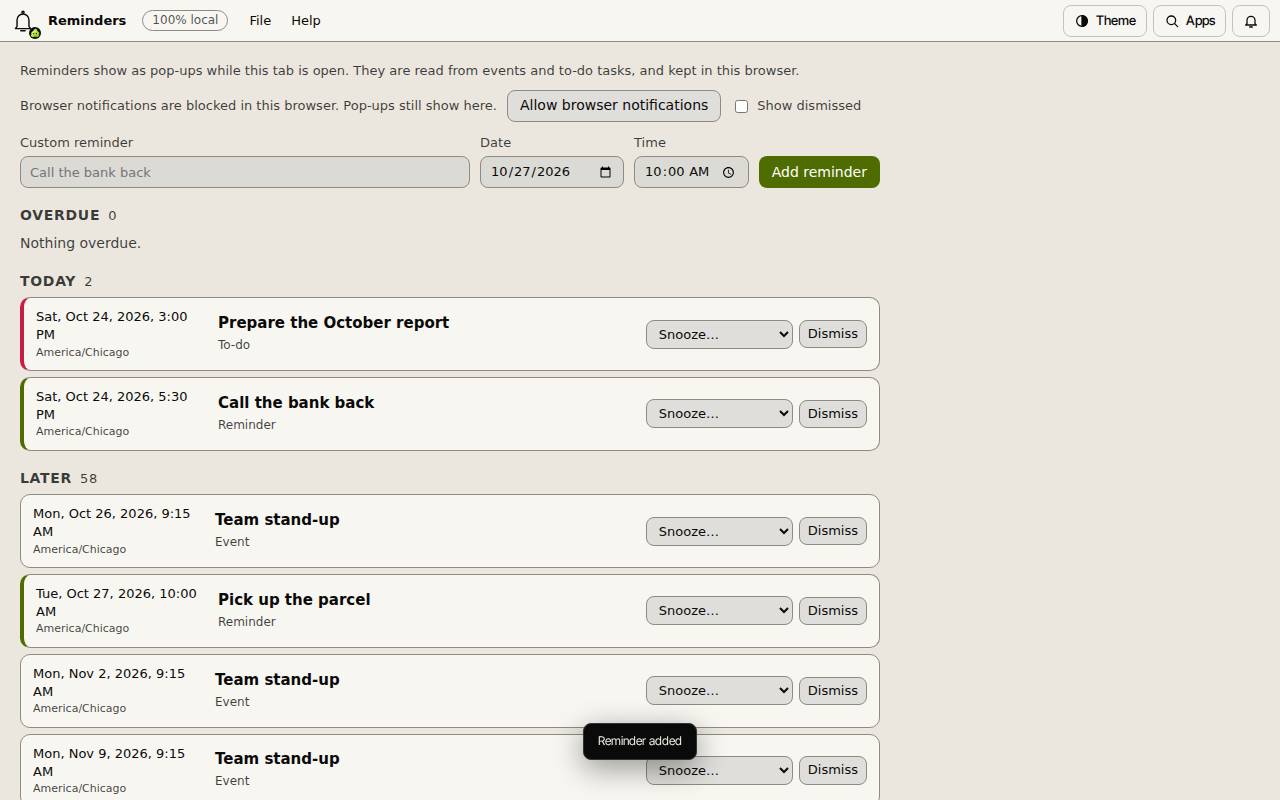
Add your own
- Type it in Custom reminder.
- Set the Date and Time.
- Choose Add reminder.
Snooze, dismiss and notify
Snooze… puts a reminder off for a while, and Dismiss clears it. Show dismissed brings the cleared ones back into view.
Reminders show as pop-ups while a Slop Reminders tab is open. Choose Allow browser notifications to get them from your browser as well.