PhotoSlop · free, in your browser
A free Photoshop alternative in your browser
If you need layers, masks and PSD files but not a subscription or an install, PhotoSlop opens in a browser tab. It uses familiar tool names and shortcuts, and your files stay on your computer.

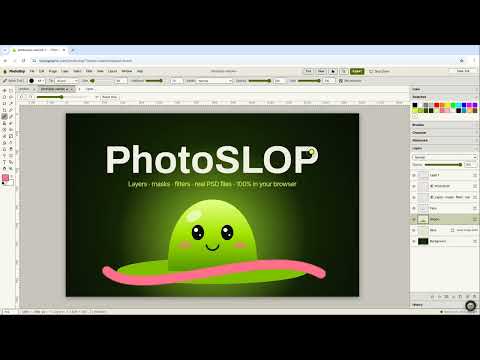
How to do it
- Open PhotoSlop and choose File > New… or File > Open… (PSD, ORA, TIFF, PNG, JPG, WebP and more).
- Work in layers: masks, clipping, 17 blend modes and layer styles such as Drop Shadow and Stroke.
- Use the tools you know: Move, Marquee, Lasso, Magic Wand, Brush, Clone Stamp, Healing Brush, Gradient, Type and Crop.
- Adjust with Levels, Curves, Hue/Saturation and more, and add filters from the Filter menu.
- Save a layered PSD, or export PNG, JPEG or WebP.
What it does not have yet: adjustment layers, content-aware fill on the device, a pen tool for paths and animation. Camera RAW files open in a Develop dialog. With your own AI key, Layer > Generate Image… and Edit with AI… make or change pictures, and the AI button can work the editor for you, also with a model on your device. It is a good fit for layered edits, retouching, compositing and PSD handoffs.
Your files stay on this device: PhotoSlop runs in your browser, with no upload, no account and no watermark.
Questions
Is PhotoSlop really free?
Yes. There is no plan, no account and no watermark on what you export.
Can I open and save PSD files?
Yes. PhotoSlop opens PSDs with their layers and masks, and saves layered 8-bit RGB PSDs. Groups are flattened and Photoshop text opens as pixels.
Does it work offline?
Yes. File > Download PhotoSlop for offline use (.html) saves a copy of the editor as one file that you can open without a connection.
Does PhotoSlop have AI?
Yes, if you want it. The AI button can do the work in the app for you. It can use a model that runs on your device (WebGPU, downloaded once), Ollama or LM Studio on your computer, or your own key for a service such as Claude, ChatGPT or Gemini. With your own key, what you ask (and any file you allow) goes to that provider, and its terms and prices apply. Models on your device and on your own computer cost nothing; Gemini, Groq and Mistral have free tiers, and OpenRouter has free models. Pictures made or changed with Generate Image… and Edit with AI… use an image service you connect, such as OpenAI, Gemini or OpenRouter with your own key; they are not made on your device.
Is PhotoSlop made by Adobe?
Slopographic is not affiliated with Adobe. Photoshop is a trademark of its owner, and the name is used here only to say what this app can stand in for.
More with PhotoSlop
- Open and view PSD files online
- Remove blemishes, spots and dust from a photo
- Deep fry a picture for a meme
- Open camera RAW files online and edit them
Related apps
 SlopVector
Live
Illustrator, rebuilt for the browser. SlopIsolate
Beta
Remove backgrounds with AI that runs on your device. Slop AI Tools
Beta
OCR, speech to text, denoise, auto tags and portrait blur. On your device.