Slop Gallery · free, in your browser
RAW photo viewer: NEF, CR2, ARW and DNG
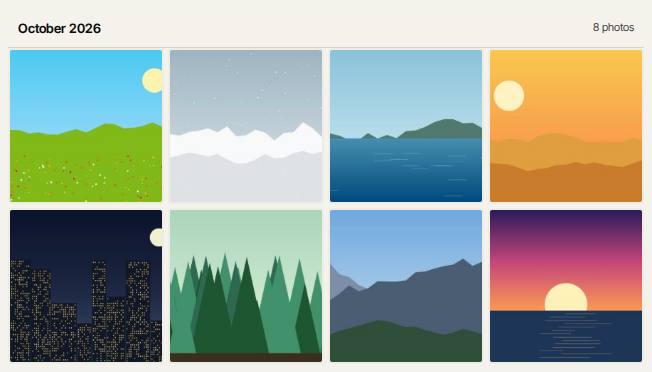
Drop a card's worth of RAW photos into Slop Gallery and browse them by month, with the date and camera read from each file. The originals are kept as they are.
How to do it
- Drop RAW files, or a whole folder, on the gallery. JPEGs and other pictures can come along.
- Each RAW file's thumbnail is made from the JPEG preview the camera stored in it, so there is nothing to download.
- The date taken and the camera are read from the RAW file, and the photos are sorted into months.
- Open a photo to see it full screen, zoom in, step through with the arrow keys, tag it or add it to an album.
The gallery reads Canon CR2, CR3 and CRW, Nikon NEF, Sony ARW, Adobe DNG, Fujifilm RAF, Olympus ORF, Panasonic RW2, Pentax PEF, Samsung SRW, Leica RWL and Hasselblad 3FR. The viewer shows the camera's preview, drawn upright; a file with no preview is developed at half size by the RAW engine, after the page asks.
Your files stay on this device: Slop Gallery runs in your browser, with no upload, no account and no watermark.
Questions
Are my RAW files uploaded?
No. The RAW file is read and developed in your browser, on this device. Nothing is sent to Slopographic or to anyone else.
Are my RAW files changed?
No. The original bytes are stored unchanged in this browser, and downloading a photo gives back the RAW file as it was.
Why does a photo look like the camera's JPEG?
The viewer shows the preview the camera made, with its picture style. To develop the RAW data yourself, open it in PhotoSlop or File convert.
Can I find duplicates among my RAW files?
Yes. Import skips files whose bytes are already in the library, and the duplicate finder groups exact copies.
More with Slop Gallery
Related apps
 PhotoSlop
Live
Photoshop, rebuilt for the browser. SlopVector
Live
Illustrator, rebuilt for the browser. SlopIsolate
Beta
Remove backgrounds with AI that runs on your device.