Slop Drive · free, in your browser
A private Google Drive alternative on your own device
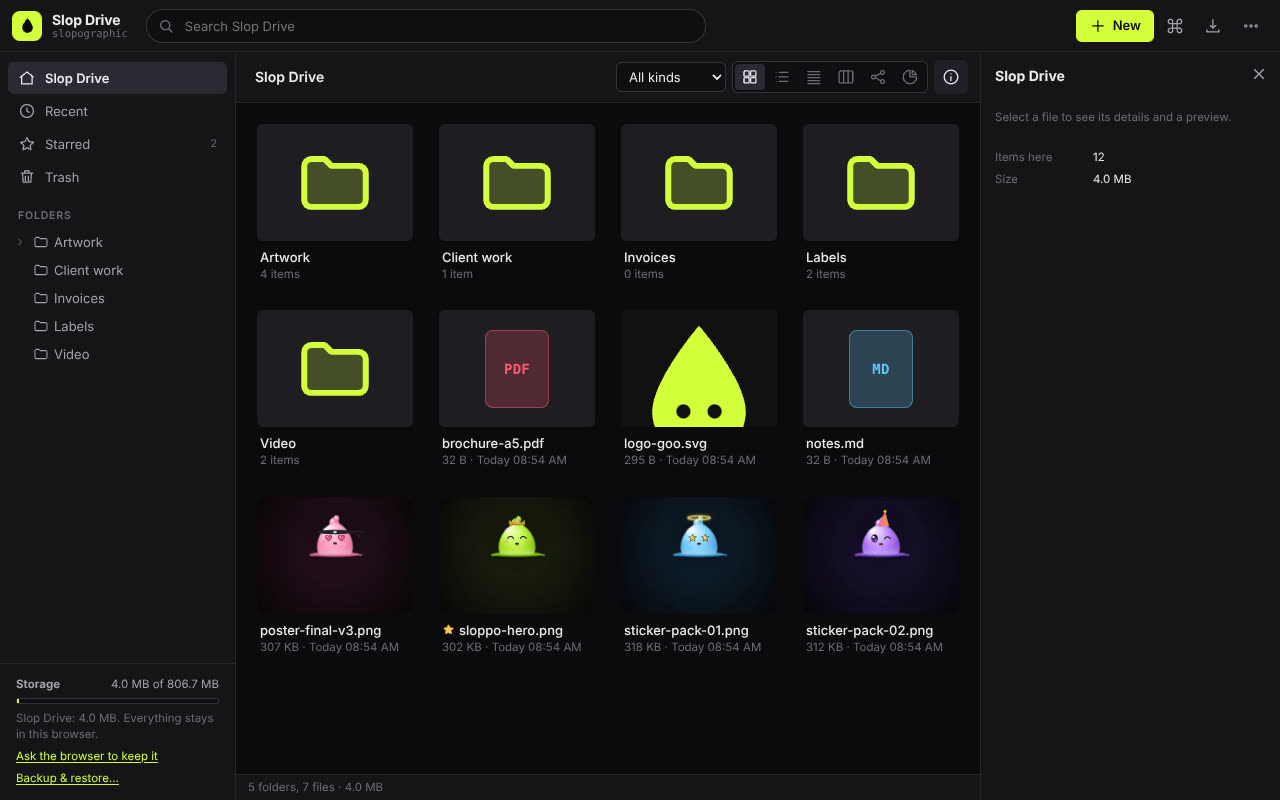
Slop Drive is a file drive that lives in your browser. Folders, stars, tags, search, previews and the Trash work as you would expect, and every Slopographic app saves into it.
How to do it
- Open Slop Drive. There is no account to create.
- Press New to make a folder, upload files or a whole folder, or start a new document.
- Switch views: Grid, List, Compact, Columns, Nodes or Disk usage.
- Star, tag and search your files, and open them in any Slopographic app that reads them.
- Press Backup & restore to save everything as one .slop file, and keep it somewhere safe.
Slop Drive is storage on one device, not a cloud: it does not sync between computers and does not make share links. In Chrome or Edge you can also connect a folder on your disk, so the files you save in Slop Drive land in a real folder too.
Your files stay on this device: Slop Drive runs in your browser, with no upload, no account and no watermark.
Questions
Is Slopographic connected to Google?
No. Slopographic is not affiliated with Google. Google Drive is a trademark of its owner, named here only for comparison.
What happens if I clear my browser data?
Files in Slop Drive are stored in the browser, so clearing the site's data deletes them. Keep a backup with Backup & restore, and choose Keep storage (ask the browser) in the More menu.
How much can I store?
As much as your browser allows for the site, which depends on your free disk space. The storage meter shows how much is used.
More with Slop Drive
Related apps
 Slop PDF
Live
Organise, edit and sign PDFs. Nothing uploaded. SlopLabel
Beta
Design and print barcode labels. Slop Reports
Beta
Totals and lists across Contacts, Invoices, Expenses and CRM, with profit by month. Read-only.